WireGuard Guide & Resources
1. Login or Create an Account
To access Dojo, connect to your existing account or create a new one. We provide 2 ways to connect to your account:
2. Create a New WireGuard Service
Once logged in, navigate to the Services section on the left sidebar and click on Deploy my first service (or Create Service if your project already contains other services).
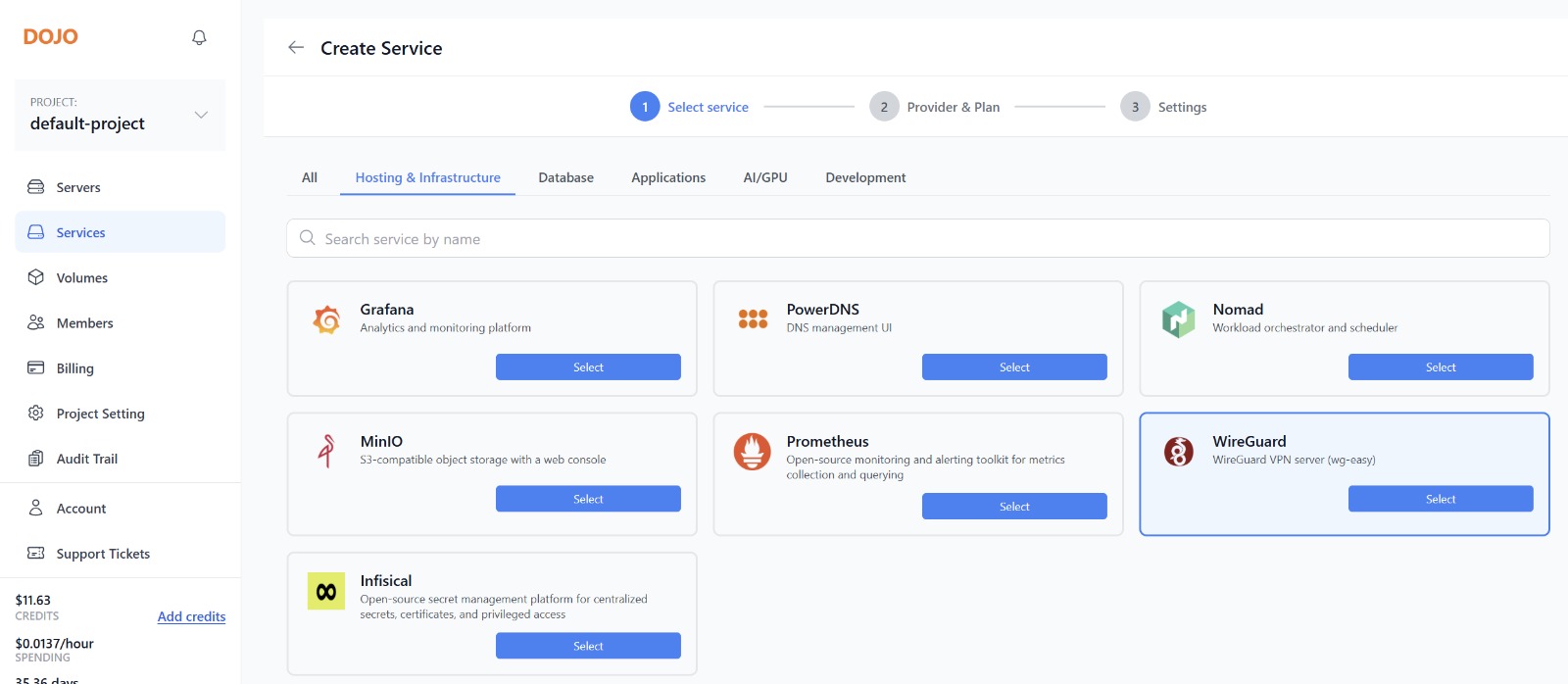
Search for WireGuard in the search bar or locate it under the Hosting & Infrastructure tab, then click the Select button.
3. Hosting & Cloud Provider
Dojo offers fully managed deployments hosted on top of leading cloud infrastructure. You can choose from the following supported providers:
- Amazon Lightsail
- Amazon AWS
- DigitalOcean
- Custom Server / BYO Server
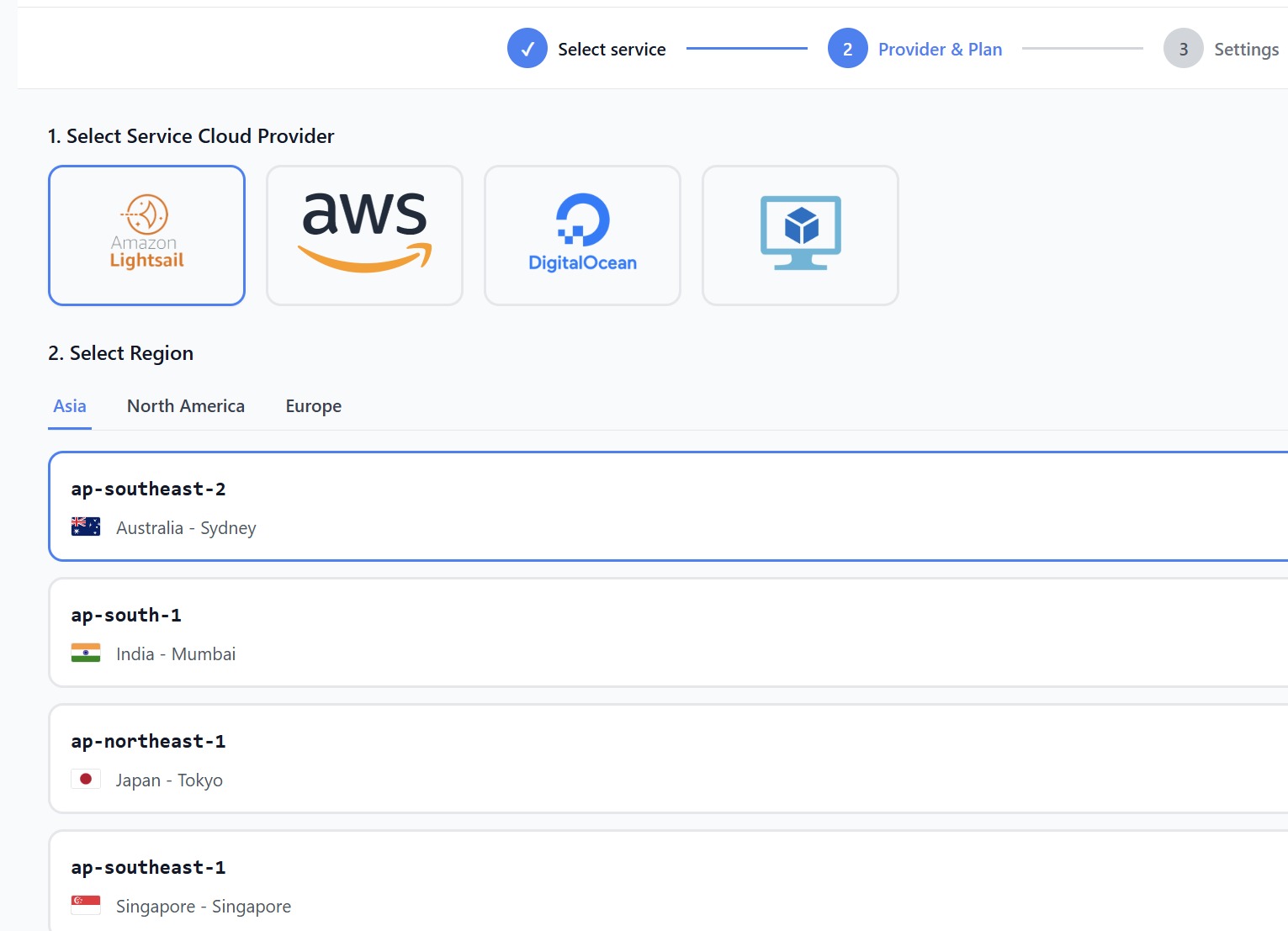
If you prefer to deploy resources directly to your own cloud provider account, Amazon AWS is currently available. Each cloud provider supports multiple geographical regions across Asia, North America, and Europe (such as ap-southeast-2 Sydney, ap-south-1 Mumbai, ap-northeast-1 Tokyo, or ap-southeast-1 Singapore). Pick the region closest to you and your users to minimize latency.
4. Instance Resources & Plans
Based on the cloud provider selected in the previous step, choose from available instance plan tiers:
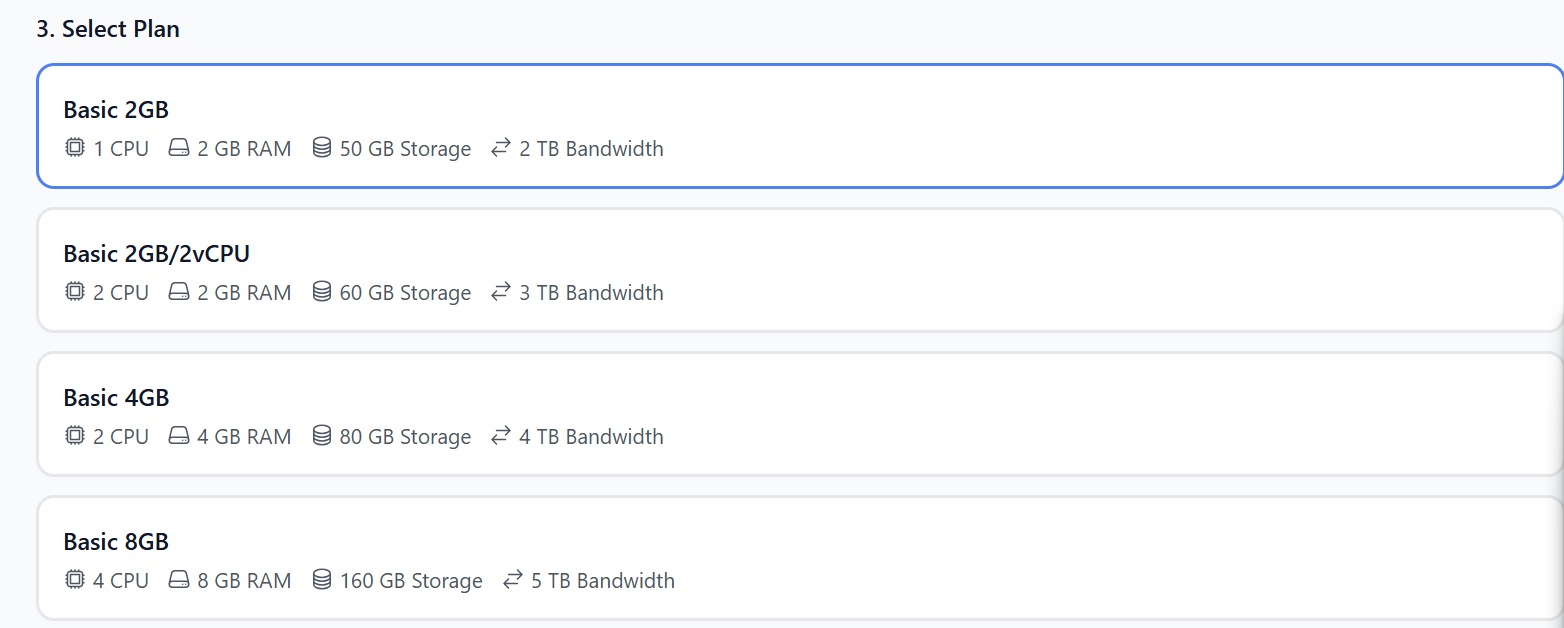
If you don't see lower performance instance types for WireGuard, it means those instance types fall below the minimum system requirements. We restrict underpowered tiers so you won't encounter performance issues with your VPN throughput and network routing.
5. Support Plan
Dojo offers tiered support levels to match your operational requirements:
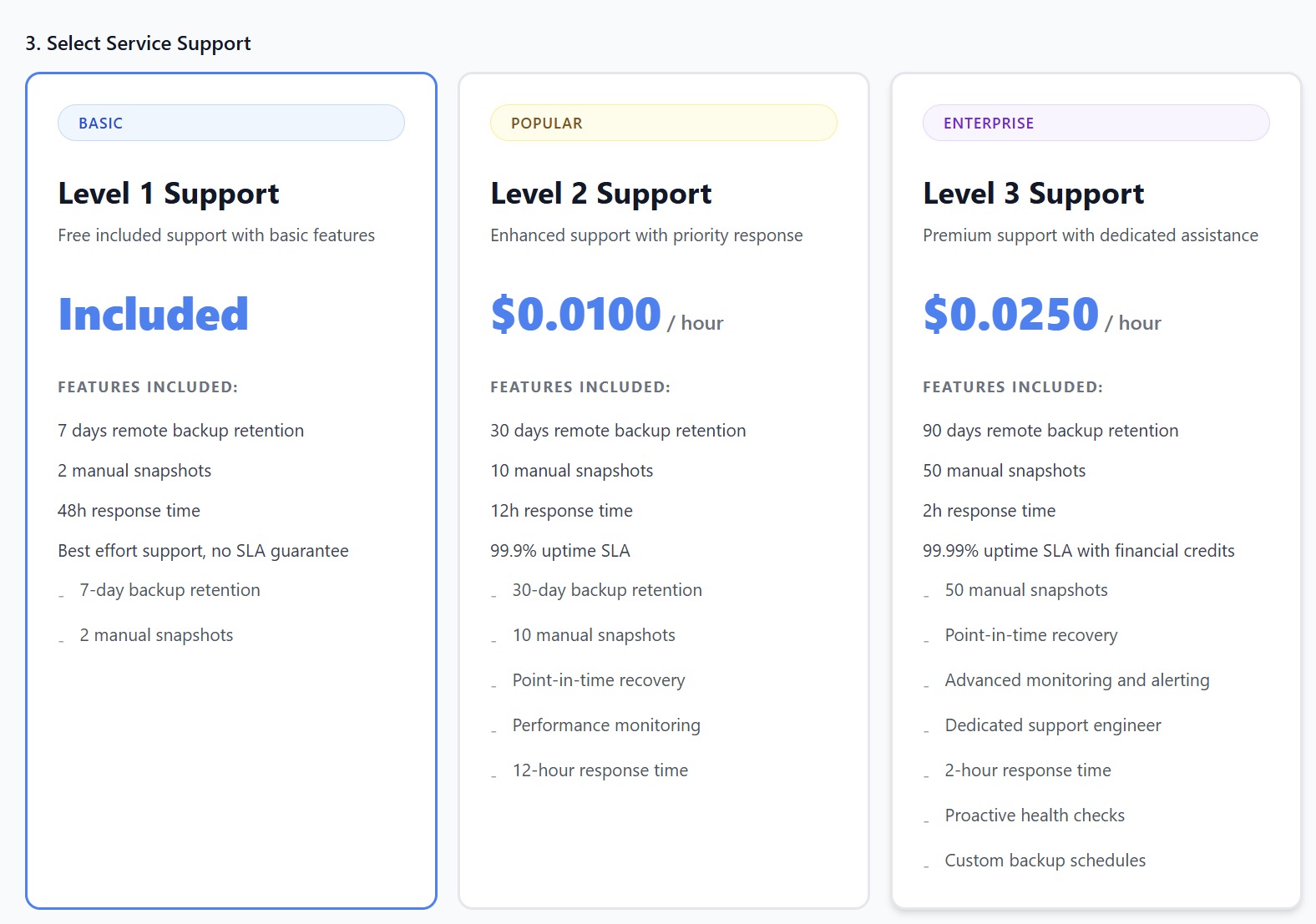
- Level 1 Support (Basic) — Included (Free)
- 7 days remote backup retention
- 2 manual snapshots
- 48h response time
- Best effort support (no SLA guarantee)
- Level 2 Support (Popular) — $0.0100 / hour
- 30 days remote backup retention & 10 manual snapshots
- 12h response time & 99.9% uptime SLA
- Point-in-time recovery & performance monitoring
- Level 3 Support (Enterprise) — $0.0250 / hour
- 90 days remote backup retention & 50 manual snapshots
- 2h response time & 99.99% uptime SLA with financial credits
- Point-in-time recovery, advanced monitoring/alerting, dedicated support engineer, custom backup schedules, and proactive health checks
6. Advanced Settings & Configuration
Under Settings, configure core service variables prior to launch:
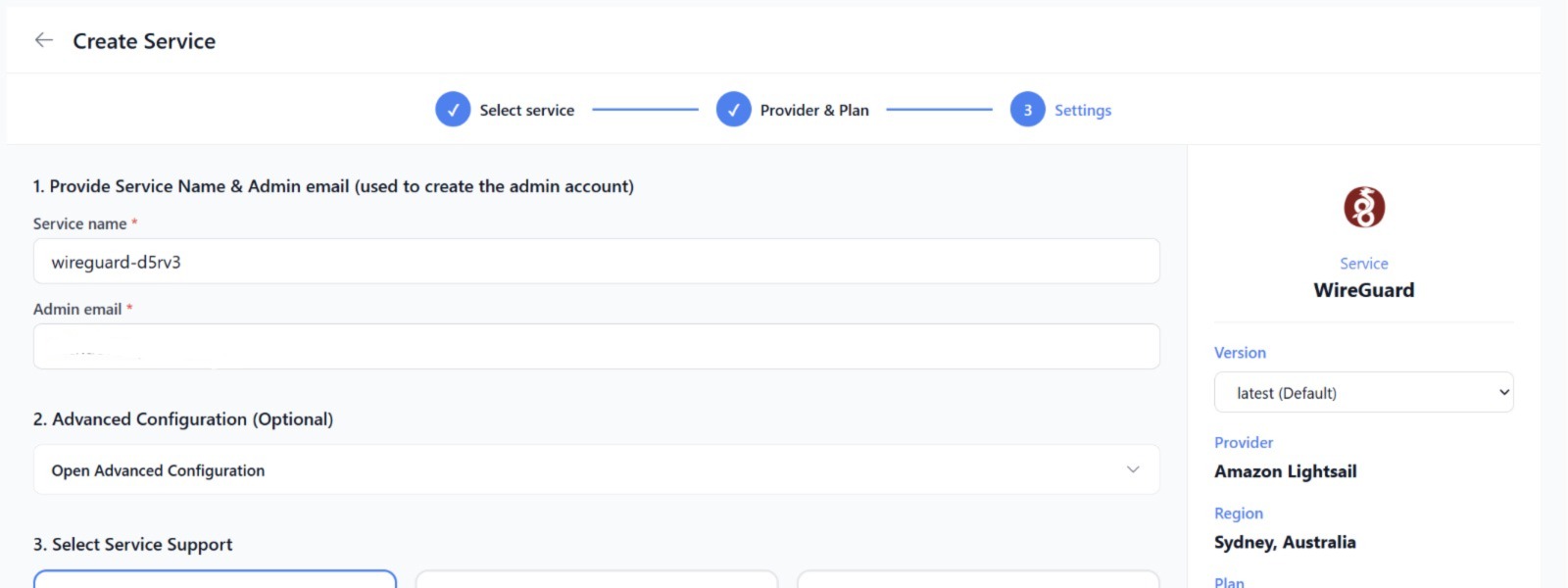
• Provide a custom Service Name (e.g., wireguard-d5rv3) and Admin Email (used to set up your primary admin account). • Override or select a specific service Version (e.g., latest (Default) or choose another build). • Open Advanced Configuration to configure optional network credentials, VPN keys, or custom environment secrets.
7. Review and Launch
On the right sidebar, review your deployment configuration—including version, cloud provider, region, plan type, and selected support tier. Your Estimated Hourly Price (and estimated monthly cost based on 730 hours of usage) will be clearly displayed. When ready, click the Create Service button. Dojo will automatically provision the instance and install WireGuard (wg-easy).
8. Start Using Your Service
Once provisioning is complete, your WireGuard instance will show as active on your Dojo dashboard. Click into the service overview screen to retrieve access links and administrator credentials.